That Little Cleaning Cloth Is Wrecking Your Screen Protector
You've done everything right. You cleaned your screen before applying the protector. You used the little cloth that came in the box. You worked in the bathroom with the steam running to minimize airborne dust. You peeled the backing slowly, pressed it down carefully, and smoothed out every edge.
And then, three days later, you notice a cluster of tiny specks under the glass. Then another. And another. Within a week your screen protector looks like someone sneezed on the inside of it.
You blame the protector. You leave a one-star review. You order another one and repeat the process — with the same cloth.
Here's the thing: the cloth is the problem.
What Static Electricity Has to Do With Your Screen
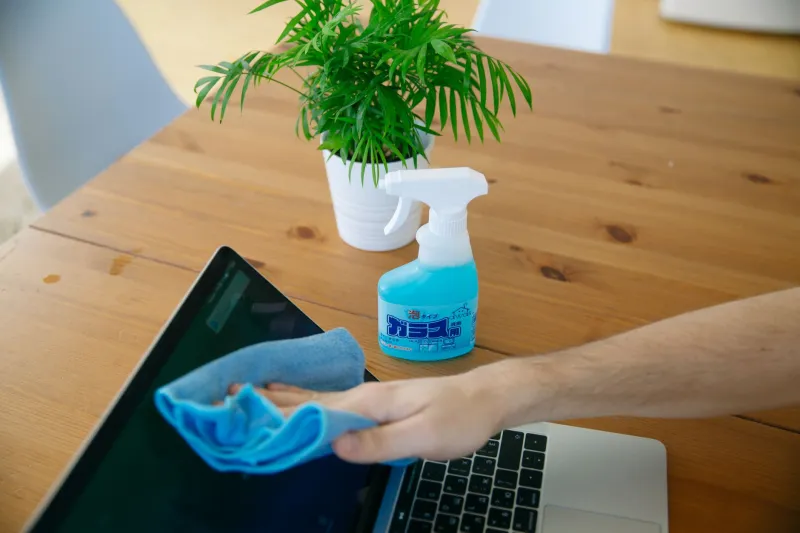
Microfiber cloths are incredibly effective at picking up oils, fingerprints, and smudges. That's the whole point. But the same properties that make them great at grabbing contaminants also make them excellent at generating static electricity.
When you wipe a microfiber cloth across a glass screen — especially with any friction — you're building up a static charge on the surface. It's the same basic physics as rubbing a balloon on your hair. You can't feel it, but it's there.
That static charge turns your freshly cleaned screen into a dust magnet. Particles that were floating harmlessly in the air get pulled toward the screen's surface in the seconds between when you finish wiping and when you apply the protector. And because the charge is on the glass itself, those particles are right where the adhesive layer of your screen protector is about to make contact.
Once the protector is down, those particles are trapped. They're not coming out without removing the protector entirely — and usually not without damaging it in the process.
We Tested This
To see how significant the effect actually is, we set up a simple comparison across three cleaning methods:
Method 1 — Standard microfiber cloth (dry): The cloth included in most screen protector kits. Wiped the screen in circular motions, then applied the protector within 10 seconds.
Method 2 — Microfiber cloth with isopropyl alcohol: A slightly dampened cloth (70% IPA solution), wiped in one direction, allowed to dry for 15 seconds before application.
Method 3 — Anti-static screen cleaning spray with a lint-free applicator pad: Applied the spray, wiped with the pad, waited 20 seconds.
We ran each method five times on identical phones in the same room, same time of day, same ambient conditions. After application, we inspected each protector under a bright side-light to count visible trapped particles.
The dry microfiber method averaged 7 to 11 visible particles per application. The IPA-dampened microfiber dropped that to 2 to 4. The anti-static spray method landed consistently at 0 to 1.
That's not a small difference. The cleaning method most people use — the one that comes in the box — is the worst performer by a significant margin.
Why Dampness Helps
The IPA method works better for two reasons. First, the moisture reduces static buildup during wiping — you're not generating as much friction charge when the surface is slightly wet. Second, alcohol evaporates quickly and leaves almost no residue, so you're not trading one contamination problem for another.
The key word is slightly damp. You're not soaking the cloth. You want just enough moisture to neutralize the static effect without leaving liquid near the phone's edges or ports.
One direction is also important. Circular wiping — which feels more thorough — actually creates more friction and more charge buildup. A single pass from one side to the other, then a second pass perpendicular, is more effective at both cleaning and charge management.
Anti-Static Sprays: Worth It?
For most people, a small bottle of 70% isopropyl alcohol and a pack of lint-free lens wipes (the kind optometrists use) will solve 90% of the problem at almost no cost. You can find both at any pharmacy.
Dedicated anti-static screen cleaning sprays do perform slightly better in controlled conditions — they're specifically formulated to neutralize charge rather than just reduce it. Brands like WHOOSH! and iKlear are widely available in the US and cost between $8 and $15 for a bottle that'll last you years. If you're someone who goes through screen protectors regularly and wants to maximize the lifespan of each one, the upgrade is worth it.
What you should avoid: paper towels (too abrasive, leave micro-scratches), regular cotton cloths (lint nightmare), and compressed air cans used directly on the screen right before application (they can actually push particles toward the surface rather than away from it).
Application Environment Matters Too
The cleaning method is the biggest variable, but your environment is a close second. The bathroom steam trick does work — the moisture in the air helps particles settle rather than float — but it also means you're working in a humid space, which can slow adhesive bonding slightly.
A better option for most people: clean your screen, then let it sit for 30 seconds in a room where air isn't actively circulating. No fans, no vents blowing, no open windows. The static charge will partially dissipate on its own during that window, and any remaining airborne particles will have settled.
Then apply the protector in one smooth motion, starting from one edge and pressing down gradually rather than laying the whole thing flat at once. This pushes air out rather than trapping it.
Extending the Life of a Protector You've Already Applied
If you've got a screen protector down and want to keep it clean going forward, the same anti-static logic applies to routine maintenance. Dry microfiber cloths will build up charge on the surface of the protector over time, which can eventually cause edge lifting as particles accumulate at the borders.
For everyday cleaning, a light mist of water on a lint-free pad is usually enough. Save the IPA solution for when you actually need to remove oils or heavier grime, and keep it away from the edges of the protector where the adhesive lives.
A screen protector that's properly applied and properly maintained should last the life of your phone case replacement cycle — typically six months to a year depending on how hard you are on your gear. The difference between one that lasts three weeks and one that lasts eight months often comes down entirely to how you cleaned the screen before you ever put it on.